.avif)





Blogs
Stay updated with our latest blog posts.
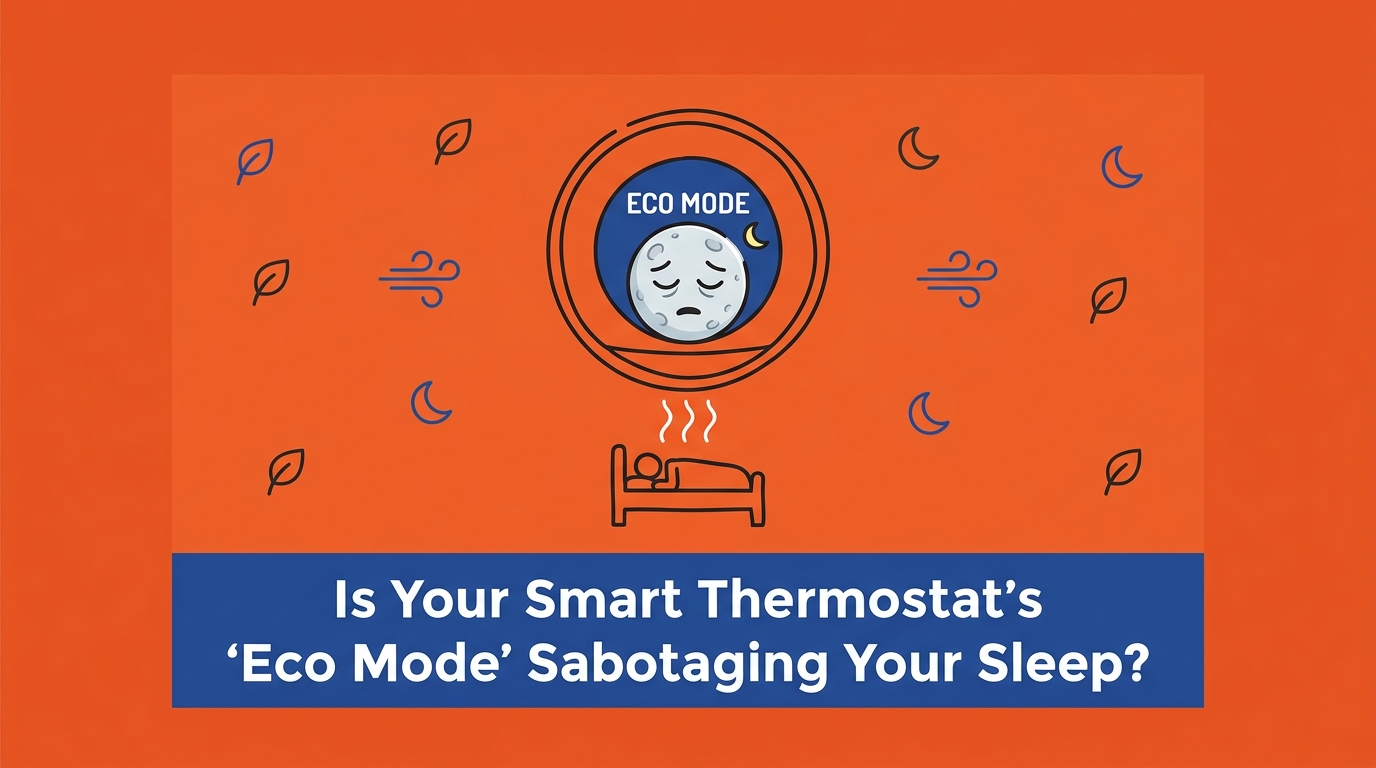

Are you wondering, "Is Your Smart Thermostat's 'Eco Mode' Sabotaging Your Sleep?" You set your thermostat to a perfectly crisp temperature before crawling into bed, only to wake up at 3 AM tossing, turning, and covered in sweat. You check the hallway display, and the house is suddenly four degrees warmer than you left it. It is an incredibly frustrating cycle, especially when dealing with August late-summer heat and humidity. Here at MJB Heating & Cooling, our team frequently fields panicked morning calls from homeowners assuming their system has failed. But in our experience, the concrete problem isn't always a broken air conditioner; often, it is your smart thermostat's 'Eco Mode' or active-learning features automatically raising the nighttime temperature setpoint while you sleep.
The key decision point for any homeowner facing this issue is identifying exactly which smart feature is secretly overriding your sleep schedule, and then deciding how to recalibrate those settings to prioritize your comfort. While these devices are brilliant at reducing utility waste, generic algorithms do not always understand the physical demands of keeping a house comfortable overnight. If you need help ensuring your system responds properly to your commands, exploring professional HVAC services and securing an HVAC maintenance plan is the first step toward uninterrupted comfort.
Our technicians often encounter what we call the 'daytime-only AC' phenomenon. If your air conditioner cools your living room perfectly at 2 PM but mysteriously shuts off at 2 AM, the mechanical equipment is likely fine—the software configuration is the actual issue. The common complaint of 'ac not working at night' is often caused by smart thermostat energy-saving algorithms overriding your manual temperature settings. Because these devices are programmed out-of-the-box to slash energy usage wherever possible, they look for predictable blocks of time to turn the system down. Nighttime is their favorite target.
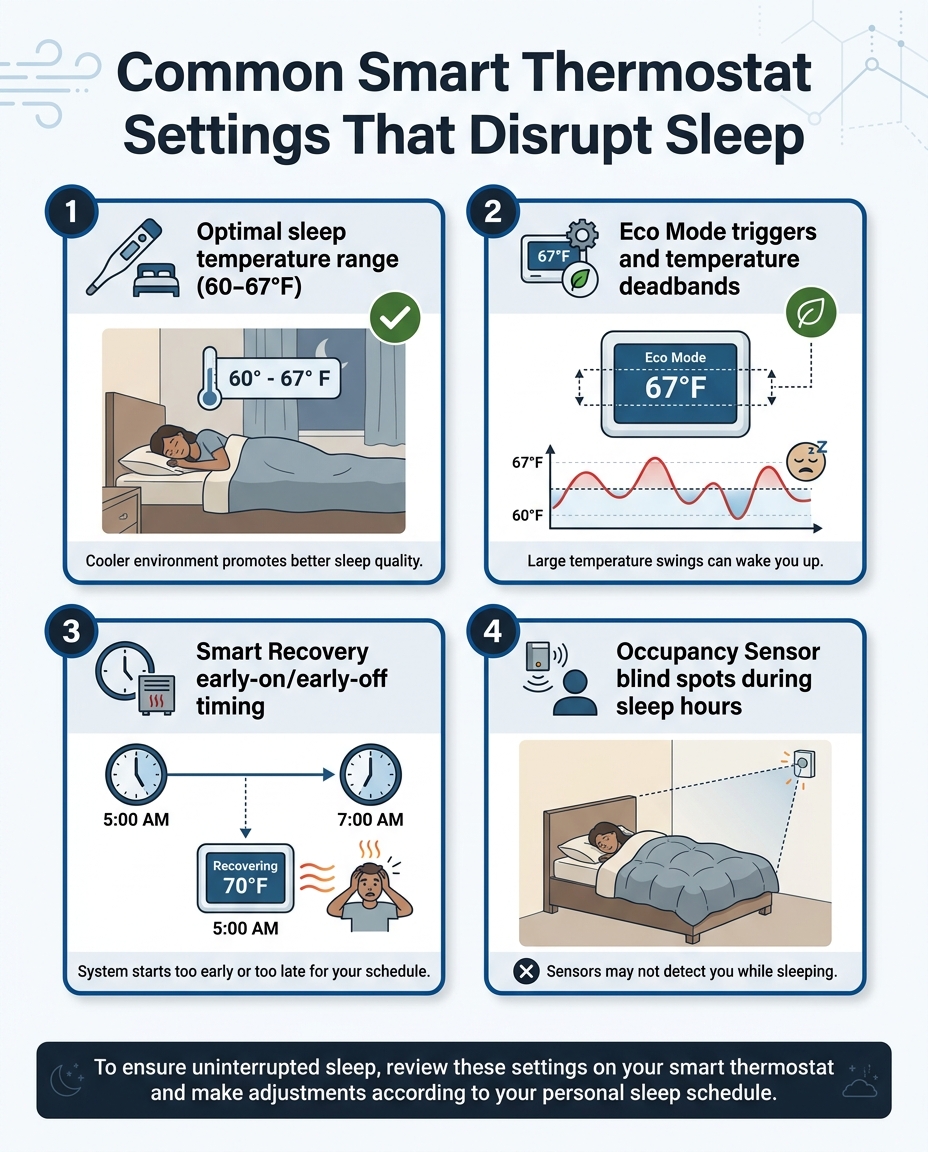
Smart thermostats with default Eco or active-learning modes rely on several distinct features that can inadvertently sabotage your nighttime cooling:
• Eco Mode (or Eco+): A setting that automatically widens the acceptable temperature range to reduce how often the compressor turns on.
• Smart Recovery: An algorithm that attempts to guess the most energy-efficient time to start or stop cooling before your next scheduled temperature change.
• Occupancy Sensors: Motion detectors that assume the house is empty if they do not sense movement for an extended period, triggering an automatic "Away" mode.
• Active Schedule-Learning: A feature that monitors your manual adjustments over a few days and then attempts to automate them, sometimes locking in a warmer nighttime schedule without your explicit knowledge.
The underlying logic: These features assume that because you are asleep under blankets, or because there is no movement in the main living areas, you want to save energy. Unfortunately, this software assumption rarely aligns with human sleep physiology.
According to sleep experts, the optimal bedroom temperature for a restful night's sleep is between 60 and 67 degrees Fahrenheit. When your body prepares for deep sleep, your core temperature naturally drops, and a cooler room helps facilitate and maintain this biological process. However, default Eco Mode algorithms frequently exceed this narrow range, prioritizing minor utility savings over your physical comfort.
When you enable an energy-saving mode, the thermostat alters the "temperature deadband." The deadband is the allowable variance between the temperature you set and the temperature the room must reach before the air conditioner actually turns on. In standard operation, this deadband might be just one degree. In an eco-friendly mode, the thermostat might widen that deadband to three or four degrees to prevent the system from cycling on as frequently.
• Standard Sleep Schedule — Typical Deadband Variance: +/- 1 Degree — Impact on Sleep Environment: Maintains a highly consistent, crisp temperature ideal for deep sleep.
• Default Eco Mode — Typical Deadband Variance: +/- 3 to 4 Degrees — Impact on Sleep Environment: Allows the room to warm up significantly before the AC kicks in, causing sleep disruptions.
• Active "Away" Override — Typical Deadband Variance: +/- 5+ Degrees — Impact on Sleep Environment: Shuts the system down almost entirely, leading to a hot, stagnant bedroom environment.
A two or three-degree increase imposed by the thermostat might barely be noticeable while you are cooking dinner or watching television. But when you are trying to sleep, that same minor temperature shift feels drastically different. Smart thermostats with default Eco or active-learning modes simply view this as an efficiency win, completely unaware that you are waking up uncomfortable.
Temperature is only half of the nighttime comfort equation; humidity is the other, and arguably more important, half. High indoor humidity (anything above 50%) significantly disrupts deep sleep quality by preventing natural sweat evaporation. When the air is saturated with moisture, your body cannot cool itself efficiently, leaving you feeling sticky, restless, and overheated even if the ambient temperature reads 70 degrees.
Here is where energy-saving settings cause major problems: smart thermostat eco modes often short-cycle the system. To save energy, the thermostat might turn the AC on just long enough to drop the air temperature by a degree or two, and then immediately shut it off. While the temperature drops quickly, the system fails to run long enough to extract moisture from the air.
In our years of serving the Derby community, we've learned that late-summer nights frequently stay warm and highly humid, making premature AC shutoffs via eco-mode highly disruptive to indoor comfort. August late-summer heat and humidity require sustained, uninterrupted AC run-times to properly pull that heavy moisture out of your living spaces. When the software forces the compressor into short, abbreviated cycles, your bedroom quickly turns into a damp, stagnant environment.
The real-world impact of humidity: The importance of managing indoor moisture cannot be overstated. Just last August, during the back-to-school transition, our team helped a local family who reached out with a severe condensation issue in their basement that was causing damage and making the entire house feel incredibly uncomfortable. After installing a new, properly sized system tailored to handle the intense local humidity and providing options for ongoing service, the condensation issue was entirely resolved, finally allowing the family to sleep better through the night. Proper dehumidification requires proper system run times—something overzealous thermostat algorithms actively prevent.
Beyond basic eco settings, advanced algorithmic features are often the hidden culprits behind nighttime temperature spikes. "Smart Recovery" (sometimes labeled as early-on or early-off features) is designed to ease your HVAC system into its next scheduled temperature. For example, if you have the thermostat set to warm up to 74 degrees at 6 AM when you wake up, Smart Recovery might decide to shut the air conditioner off at 3 AM so the house slowly drifts up to that target temperature naturally.
Active-learning schedules are equally problematic for nighttime comfort. These features attempt to learn your habits based on manual adjustments. If you wake up cold one night and bump the temperature up, the thermostat might interpret that single adjustment as your new permanent preference for 2 AM. Over time, smart thermostats with default Eco or active-learning modes can lock in a warmer nighttime schedule without your knowledge, constantly fighting against the manual settings you input before bed.
These sudden algorithmic shifts do more than just ruin your sleep; they place unnecessary strain on the HVAC equipment itself. When an eco-setting holds the air conditioner back all evening, allowing heat and humidity to build up in the walls and furniture, forcing the system to rapidly cool the house right at bedtime requires massive energy output. As we often explain to our customers, understanding why dropping the temp at 9 PM overworks your AC is crucial. If the system has been artificially suppressed by software all afternoon, it will struggle to overcome the thermal load when you finally demand a crisp sleep environment.
Modern smart thermostats often feature built-in occupancy sensors—motion detectors designed to figure out if anyone is actually home. During the day, as you walk past the hallway or through the living room, the sensor registers movement and keeps the system running on its standard schedule. But at night, the dynamics change entirely.
A pattern our technicians see often plays out like this: the main thermostat is mounted in a central hallway or a downstairs living room. At 10 PM, everyone retreats to their bedrooms and goes to sleep. By 1 AM, the thermostat's motion sensor has not detected a single person walking past for three hours. The software assumes the house is empty, triggers a false "Away" status, and immediately initiates an eco-mode shutoff, stopping the AC in the middle of the night.
Because smart thermostats with default Eco or active-learning modes rely heavily on these line-of-sight sensors, they possess massive blind spots when it comes to sleeping occupants. The most effective solution to this specific trigger is utilizing remote room sensors. By placing a compatible wireless sensor on your bedroom nightstand and linking it to the main thermostat, you force the system to read the temperature and occupancy status of the room you are actually sleeping in, rather than a dark, empty hallway.

Taking back control of your indoor climate requires diving into your smart thermostat's mobile app or onboard settings menu. By adjusting these software configurations, you can prioritize sleep comfort over marginal utility savings, bridging the gap between generic tech algorithms and actual home comfort.
1. Step 1: Disable auto-learning features and establish a strict manual schedule. Turn off "Auto-Schedule" or "Active Learning" in the settings app. Manually program a dedicated sleep block (e.g., 10 PM to 6 AM) with your preferred temperature, ensuring the software cannot alter it based on past adjustments.
2. Step 2: Turn off 'Eco Mode' or 'Eco+' specifically for nighttime hours. Many apps allow you to schedule when eco features are allowed to activate. Restrict these energy-saving deadbands to daytime hours when you are actually away at work, disabling them entirely during your designated sleep window.
3. Step 3: Disable occupancy-based 'Away' triggers during your sleep window. Navigate to the motion sensor or geofencing settings. Ensure that a lack of movement in the house cannot trigger an "Away" routine between your designated sleeping hours.
4. Step 4: Consult a professional for advanced calibration. At MJB Heating & Cooling, our expertise in configuring smart home HVAC systems specifically for the intense demands of Kansas summers bridges the gap between generic tech algorithms and actual home comfort. A professional can ensure the thermostat is properly calibrated to your specific HVAC unit's staging and dehumidification capabilities.
Homeowners throughout Derby and surrounding service areas often find that a quick professional recalibration of both the thermostat software and the mechanical equipment resolves years of frustrating nighttime temperature swings.
It is likely reacting to an active-learning schedule, an Eco mode trigger, or a Smart Recovery algorithm. These features automatically adjust the setpoint based on perceived energy-saving opportunities, often assuming that because the house is quiet, you do not need as much cooling. To stop this, you must manually disable the auto-adjusting features within the thermostat's mobile app and set a strict, unchangeable sleep schedule.
Navigate to the main settings menu on your smart thermostat's mobile application. Look for tabs labeled 'Eco', 'Eco+', 'Smart Settings', or 'Away Routines', and disable them for your scheduled sleep block. Most modern thermostats allow you to customize exactly when these energy-saving features are allowed to run, ensuring they only activate when you are genuinely out of the house.
Smart thermostats often short-cycle the AC to save energy, meaning the system doesn't run long enough to extract moisture from the air. Sustained run-times are required for proper dehumidification. When an energy-saving setting turns the compressor off the moment the temperature drops a single degree, the heavy moisture remains trapped indoors, leaving your bedroom feeling sticky and uncomfortable.
While it reduces nighttime run-time, it can force the AC to work harder the next morning to recover, negating some of the perceived savings. The minor utility savings often come at the cost of significant comfort and sleep quality loss. In highly humid late-summer climates, allowing the house to warm up overnight means the system has to burn massive amounts of energy the next day just to pull the accumulated humidity back out of the drywall and furniture.
This is a classic sign of an occupancy sensor issue. The thermostat senses daytime movement but assumes the house is empty when everyone is still in bed at night, shutting off the system to save energy. Disabling the motion-based "Away" trigger during your sleep hours, or investing in remote room sensors for the bedrooms, will resolve this false-positive shutoff.
Yes, aggressive schedule overrides can force the system into rapid on-and-off cycles. When the software constantly fights against the natural thermal drift of the house by applying wide temperature deadbands, the compressor is forced to start and stop prematurely. This not only ruins humidity control but also accelerates mechanical wear and tear on the air conditioning unit over time.
A clear, technical understanding of how your thermostat's software operates is the absolute key to preventing frustrating nighttime overrides. While energy efficiency is always a worthy goal, prioritizing your nighttime comfort over marginal utility savings is essential, especially when battling August late-summer heat and humidity. By disabling aggressive eco modes and active-learning schedules during your sleep window, you ensure your air conditioner runs long enough to properly cool and dehumidify your bedroom.
Software settings are only one part of the equation; the mechanical equipment must also be in peak condition to respond accurately to those commands. To ensure your equipment is optimized to respond perfectly to your newly adjusted thermostat settings, our team at MJB Heating & Cooling highly encourages securing an HVAC maintenance plan. Routine professional oversight guarantees that when your smart thermostat calls for cooling, your system delivers uninterrupted, reliable comfort all night long.


Our A/C stopped working on a Sunday and due to health issues, we needed to find a service company available on a Sunday. I called MJB and left a message on their emergency voice mail. Within 10 minutes Tom Buck called me to hear my description of the symptoms. He was just finishing an appointment in Wichita and would be on his way to my home on the south end of Derby. He arrived within 30 minutes! From start to finish he was the perfect example of what you could ever hope for in an HVAC tech and a human being. His evaluation of our system inside and out was as thorough as I could ever imagine and once he was done with the repair, our system is running as well or better than ever. Well worth the price for the evaluation, parts, and labor. Thank you again Tom for an awesome experience.
Our AC went out during the hottest days of the year, and they were out next day! We have been jerked around by a shoddy home warranty for years. We finally had a chance to pick our own repair people, and MJB came highly recommended. I can see why! I was impressed with the honesty and speed at which they fixed our AC unit!
Our commercial building had a lightening/electrical strike and damaged our 20 ton AC unit. No one could find us a new unit before the end of September. Imagining going all of August and September with no AC in Kansas and working inside near 100 degree temps is less than thrilling. Dale and the team at MJB called around and saved the day. They had us a new unit 5 weeks earlier than other could promise and I now have happy employees. The unit is amazingly quiet, super cold and so much more energy efficient. Thank you for being our super hero!
Came out and installed my new furnace. Was very polite and affordable. They are very acknowledgeable and I highly recommend!
Thank you very much. We had our 1st warm night in 3weeks. MJB took the time and effort to find the real problem. And the employees were kind and thoughtful and explained things very well. I cannot thank you and all of MJB. Will recommend you highly. Thanks again Marjorie Herman Oxford Kansas
We had a new system installed and I was so impressed with how quick they were in come out and install it, in the middle of a hot summer day. They were so friendly & very professional. I had a small problem with a weird sound and they came over immediately and fixed it. Love them!